
Everything in one simple setup
You should not have to jump between lots of hard-to-manage systems just to run a venue. NODE keeps the important parts together and makes the right tools easier to find.

NODE Software
The main till system for selling, tables, tabs, discounts, refunds and everyday service.
- Fast when service gets busy
- Clear screens and simple flow
- Built for real hospitality sites

NODEView
The place you can use on the web today for reports, products, stock, menus and staff access.
- Easy dashboard
- Simple tools that are easy to find
- Usable public demo available
NODE Virtual
Handheld ordering and payments for table service, busy bars and extra sell points.
- Take orders on the floor
- Take payments on the spot
- Keep service moving
NODE KVS
A kitchen screen that helps staff see what is next and stay on top of service.
- Clear live tickets
- Simple ready handling
- Useful kitchen checklists
NODE Go
The takeaway driver app with simple navigation and clear cash tracking for delivery runs.
- Directions for each run
- Track driver cash clearly
- Know what should return to site
NODE Staff Hub
A simple staff app for rota, timekeeping, messages and shift updates.
- See shifts quickly
- Handle messages and requests in one place
- Less day-to-day chasing
NODE Software: the main till
This is the main till program. It is quick to use, easy to follow and built for real hospitality service.
UK use only
NODE Software is currently designed for use within the United Kingdom only and should not be used in any other country.
Fast service without the mess
NODE keeps everyday selling clear and quick, while still giving you the tools busy venues actually need.
- Sales, tables and tabs
- Discounts, refunds and permissions
- Menus and printing set up the right way
Customer accounts made simple
Useful for sites that want customer accounts, customer credit and customer allowances without extra fuss.
- Customer accounts
- Customer credit
- Customer allowances
Why people like it
Many till systems either feel too basic or far too complicated. NODE aims for the middle ground: powerful enough for busy venues, but still clear enough for normal staff to feel comfortable quickly.
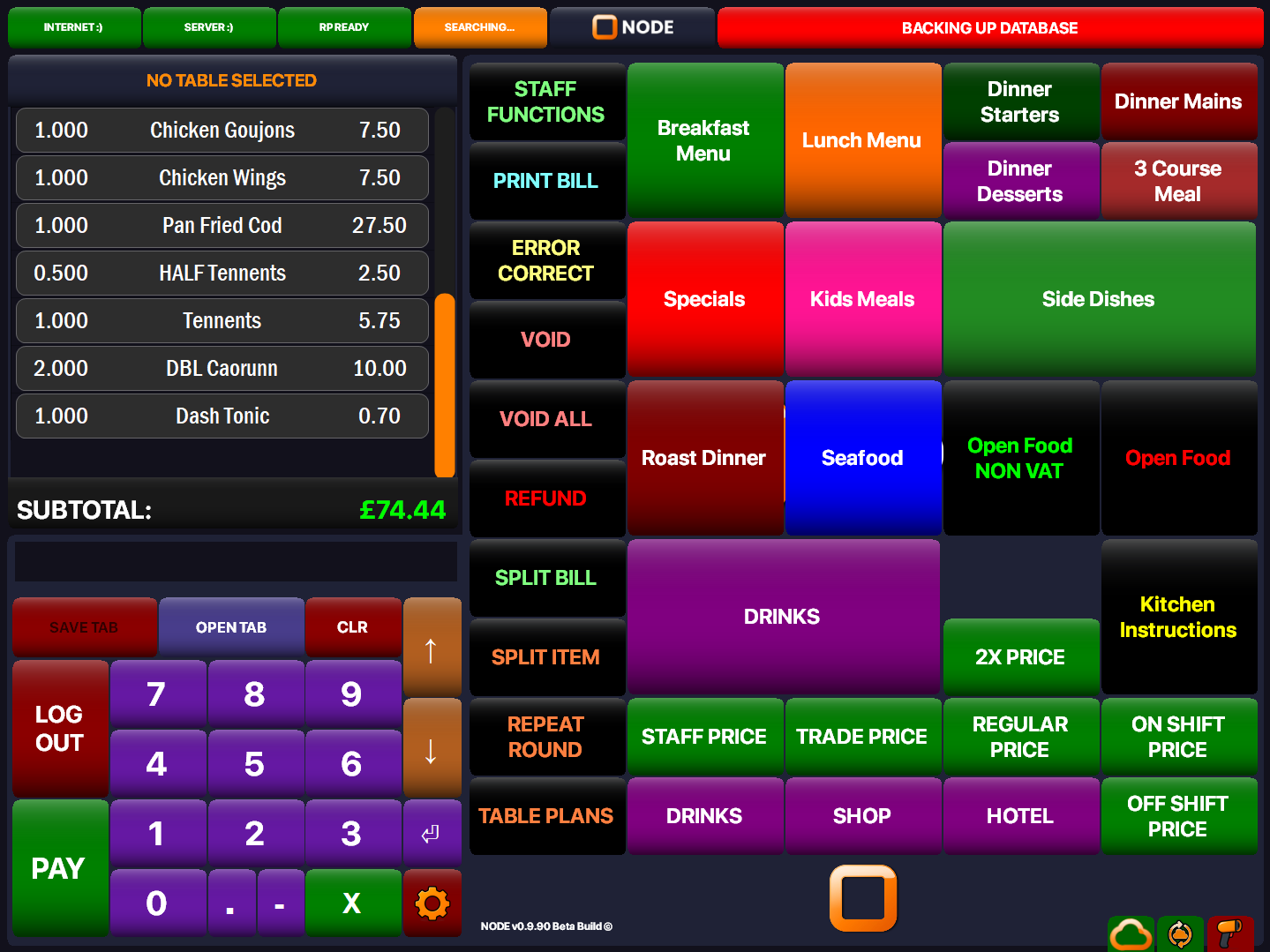
Best for the main till screen, bar screen or table service screen.
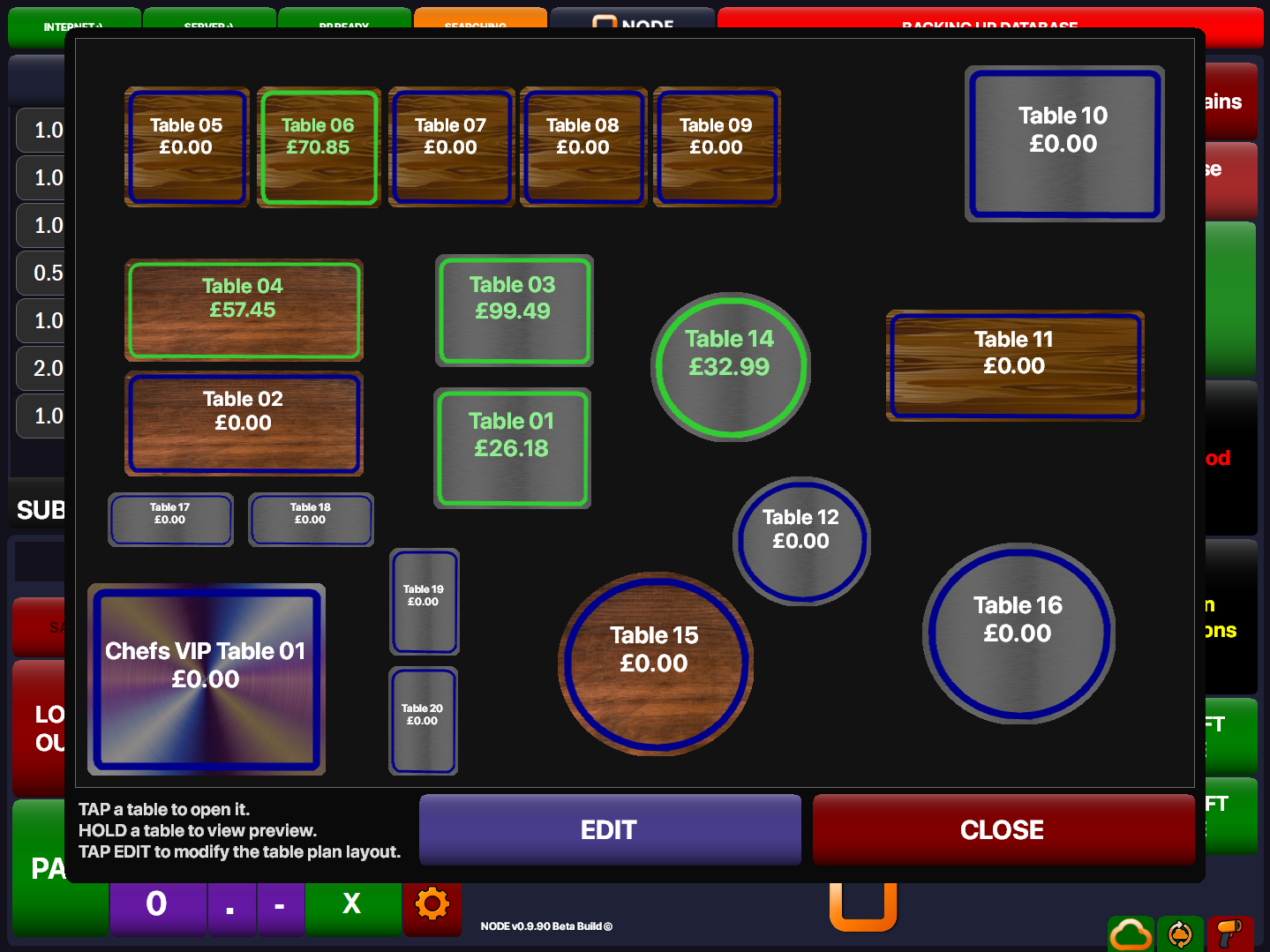
Best for customer accounts, credit or allowance screens.
NODE KVS: more than a kitchen order screen
NODE KVS helps kitchens control live tickets, handle printed checks, manage timed tasks and keep a proper record of what has been done throughout the day.
Full control of what is on screen
Kitchens can stay on top of live tickets properly instead of just watching orders pile up on a display.
- Clear live ticket view
- Ready handling and ticket control
- A smoother kitchen flow when service is busy
Printed checks can come from KVS too
NODE KVS is not limited to screen handling. It can also work with printed checks where the kitchen still needs paper in the flow.
- Works with screen and print together
- Useful for mixed kitchen workflows
- More flexibility for different sites
Timed hygiene tasks that appear like tickets
Hygiene compliance checklists can appear on screen at the right times of day, reminding chefs to do important tasks as part of the normal kitchen flow.
- Timed tasks appear automatically
- Easy for chefs to spot and complete
- Helps kitchens stay on top of routine jobs
Full logging and hygiene reports when needed
Completed checklist activity is logged, and hygiene log reports can be generated later if Environmental Health ever needs to see what was done.
- Clear record of completed tasks
- Useful reporting when needed
- Better proof of day-to-day compliance
A smoother kitchen day
That combination of ticket control, printed checks, timed hygiene reminders and reporting makes NODE KVS a much stronger kitchen tool than a basic order screen.
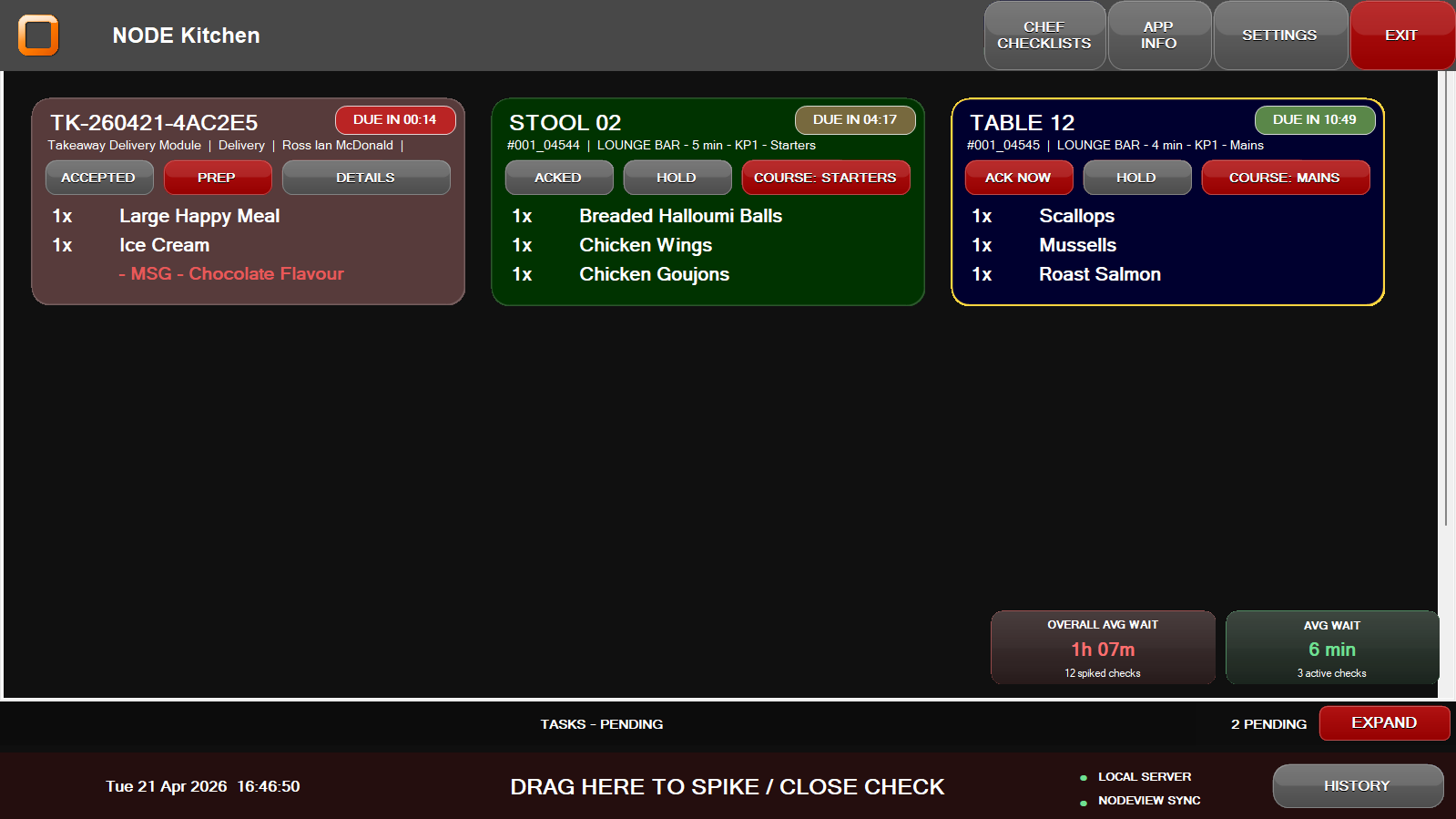
Best for a kitchen screen showing tickets, task reminders or ready states.
NODEView: the easy back office
NODEView is available on the web right now for reports, products, stock, menus and staff access. It is designed so the right tool is easy to find.
See the important stuff quickly
Open NODEView and get a clear picture of the business without digging around.
- Simple dashboard
- Quick links to common tools
- Public demo available for anyone to try
Products, menus and stock in one place
Make changes without feeling lost in a complicated back office.
- Products and pricing
- Stock and menus
- Staff access and simple settings
Reports without the headache
Find the numbers you need without fighting with a messy reporting system.
- Sales and takings
- Receipts and end-of-day checks
- Custom reports when you want more detail
More control, less clutter
NODEView gives managers the tools they need, but keeps the overall feel simple and clear.
- Operators and staff access
- Menu and screen changes
- Terminal checks and stock tools
Why people like NODEView
Many back office systems feel busy, awkward and hard to learn. NODEView is built to stay clear and calm, so even people who are not very tech confident can still feel comfortable using it.
Anyone can explore the demo. Click the NODEView button at the top right of the site, then click TRY DEMO on the NODEView login screen.
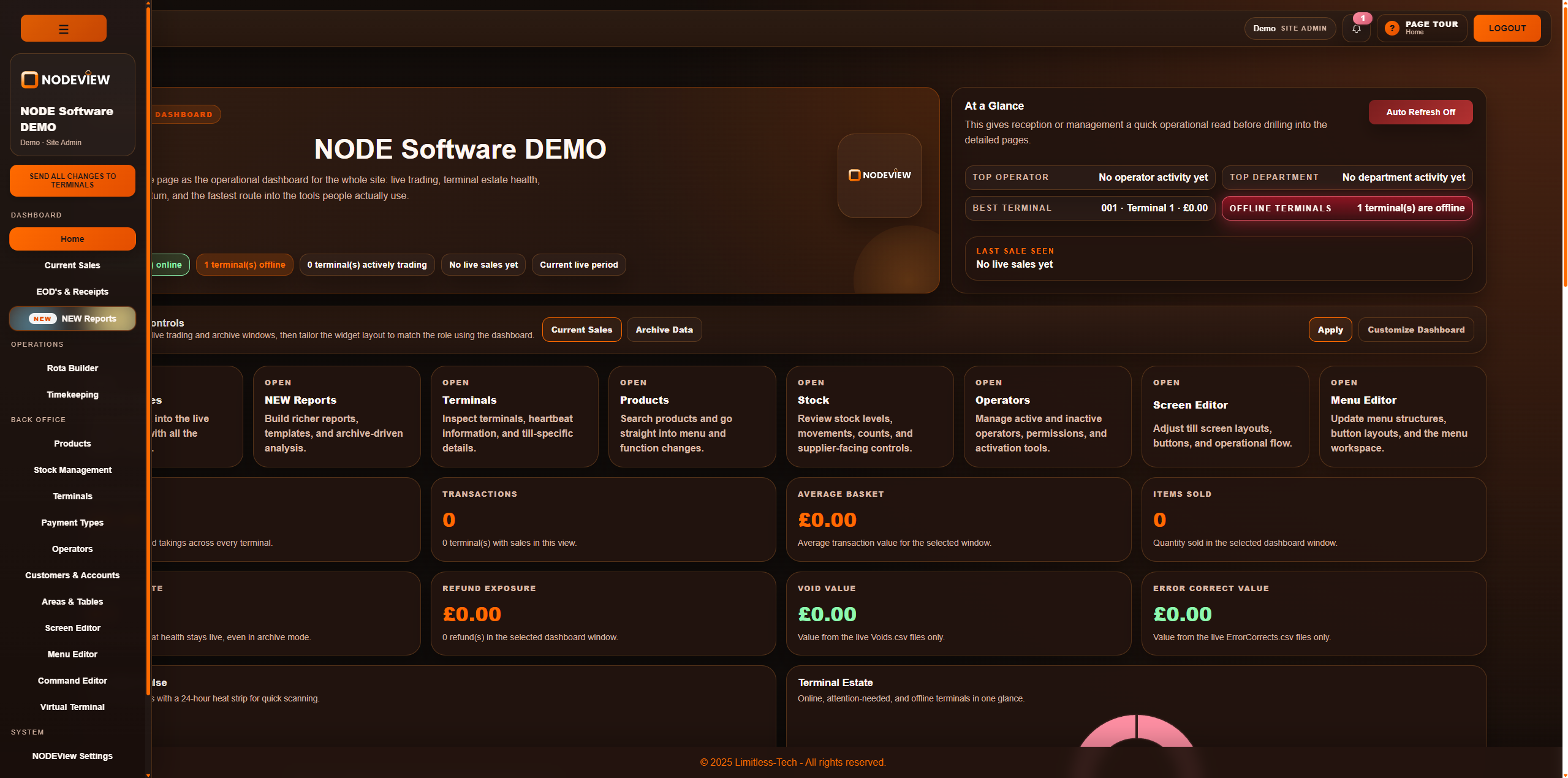
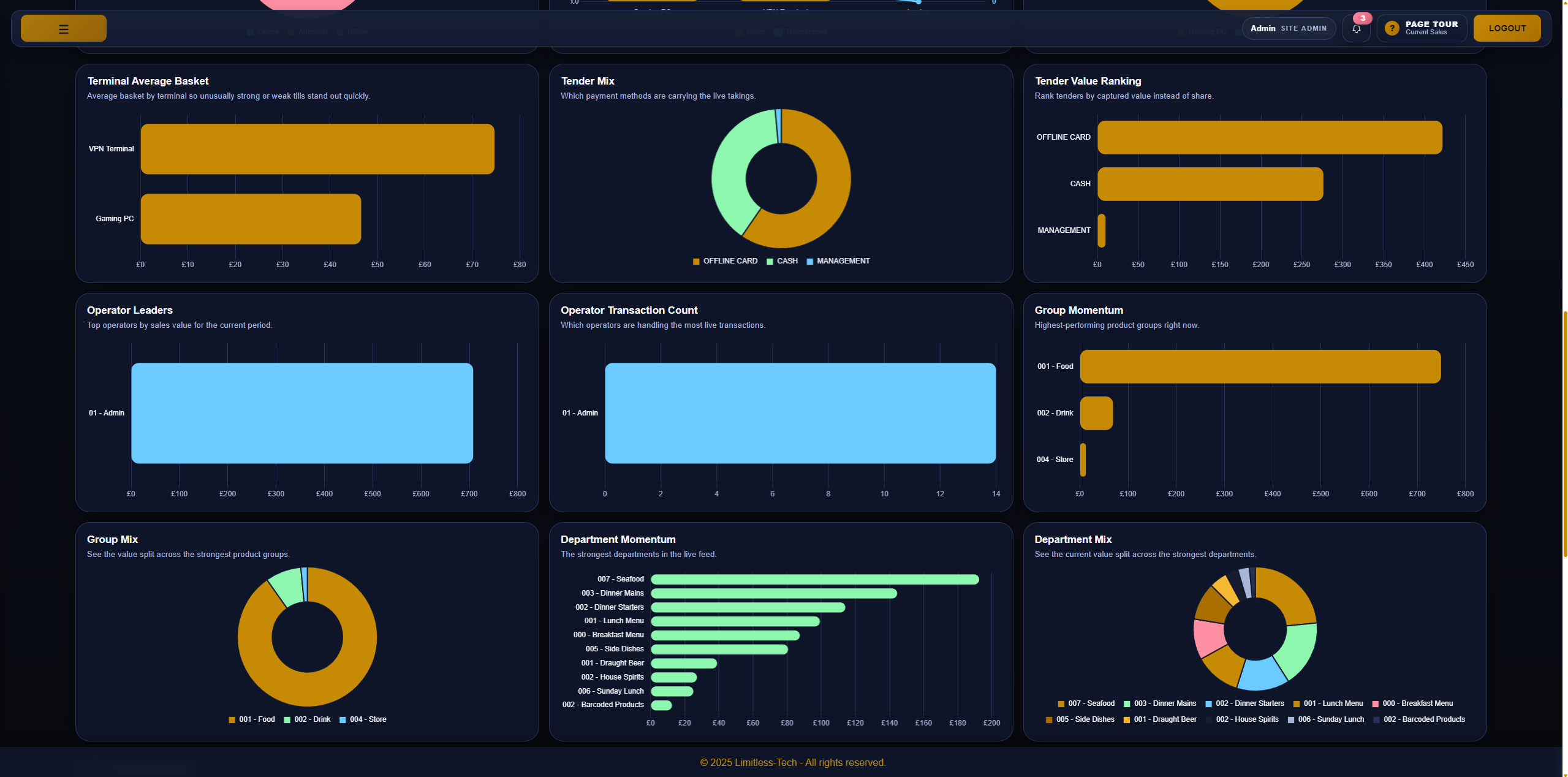
Best for the dashboard or another wide back office screen.
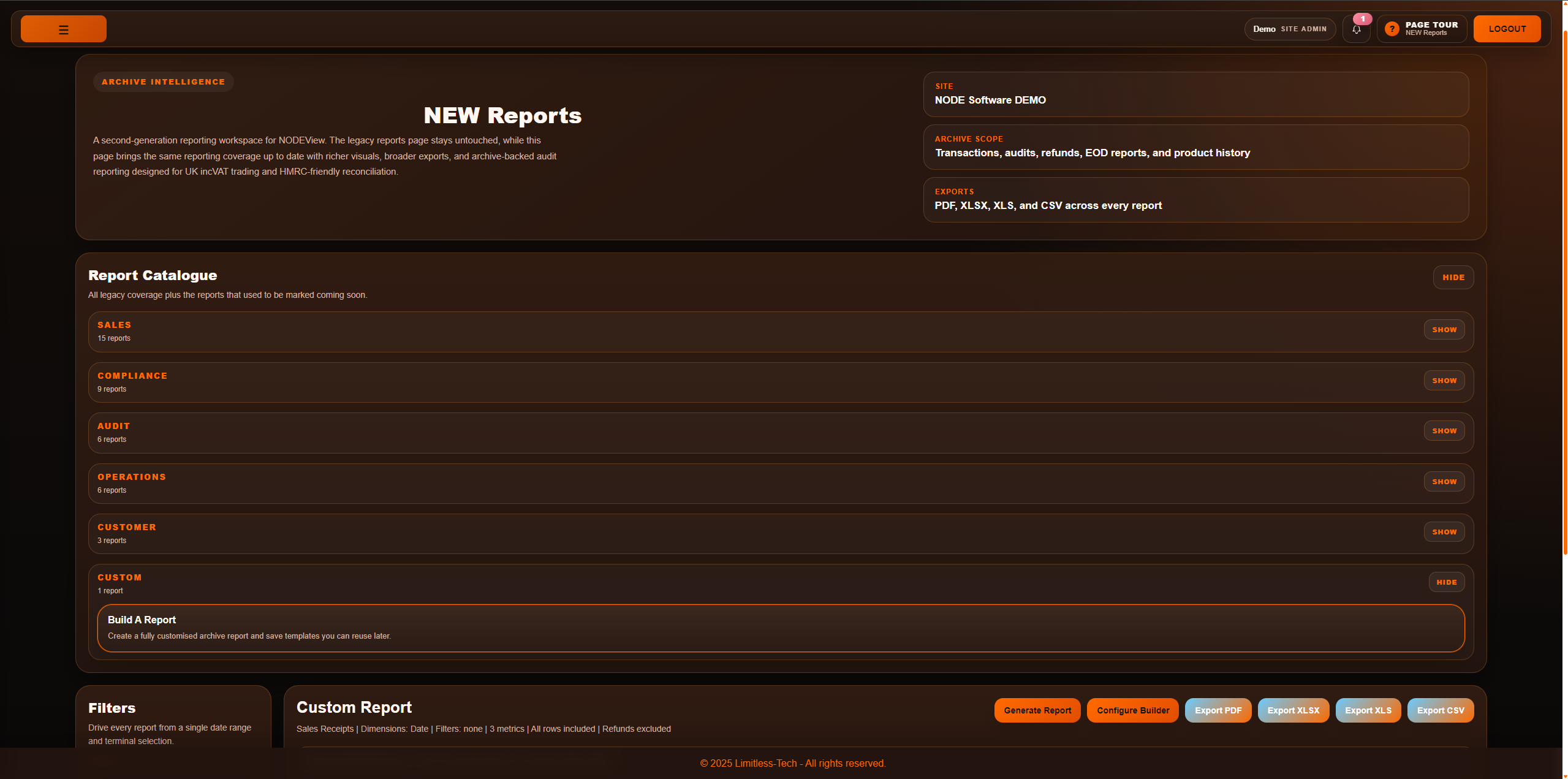
Best for reports, end-of-day screens or custom report pages.
Best for products, stock, menu editing or screen editing.
Hotel OS: hotel front desk tools coming soon
Hotel OS is still very much a work in progress and is not released yet. It is planned as a paid add-on for sites that want hotel reception tools fully tied into the wider NODE system.
A proper front desk home screen
Hotel OS is planned as the main reception desk view for handling the everyday running of the hotel in one place.
- Reception desk home screen
- Clear daily hotel control
- Built to sit inside the NODE setup
Room bookings, check-in and check-out
The aim is to make room bookings and guest handling feel clear, from taking the booking through to arrival, stay and departure.
- Manage hotel room bookings
- Check guests in and out
- Keep room charges from being missed
Housekeeping and maintenance in the same place
Housekeeping and maintenance tasks are planned as part of the same hotel workflow, so staff can stay on top of what each room needs.
- Track housekeeping clearly
- Set up maintenance tasks
- Help the whole site stay in step
Hotel billing tied into NODE
Because it is being built into the wider NODE ecosystem, hotel billing and room charges are planned to stay linked properly with the rest of the business.
- Seamless NODE integration
- Room charges tied in properly
- Less chance of missed billing
Planned as a paid add-on
Hotel OS will be a paid add-on, with pricing still to be confirmed. It is also planned to include room-booking modules in the same kind of way that NODE already handles table bookings.
NODE Virtual: simple handheld ordering
NODE Virtual helps staff take orders and payments away from the main till, while keeping the whole site easy to manage.
Take orders faster
Good for table service, busy bars and any site where walking back to the till slows things down.
- Take orders at the table
- Keep tables moving
- Help staff stay with customers
Take payments on the spot
Useful for split bills, quick payments and busy service when staff need to keep things moving.
- Split bills and payments
- Tips and payment handling
- Simple payment flow on the device
Works well with the main till
NODE Virtual feels like part of the same system, not a separate app that adds more confusion.
- Works neatly with the rest of NODE
- Good for busy service teams
- No extra software charge for extra handhelds
Great for busy venues
If your team is moving around the venue all day, handheld ordering can make a huge difference. NODE Virtual helps without making the system feel harder to manage.
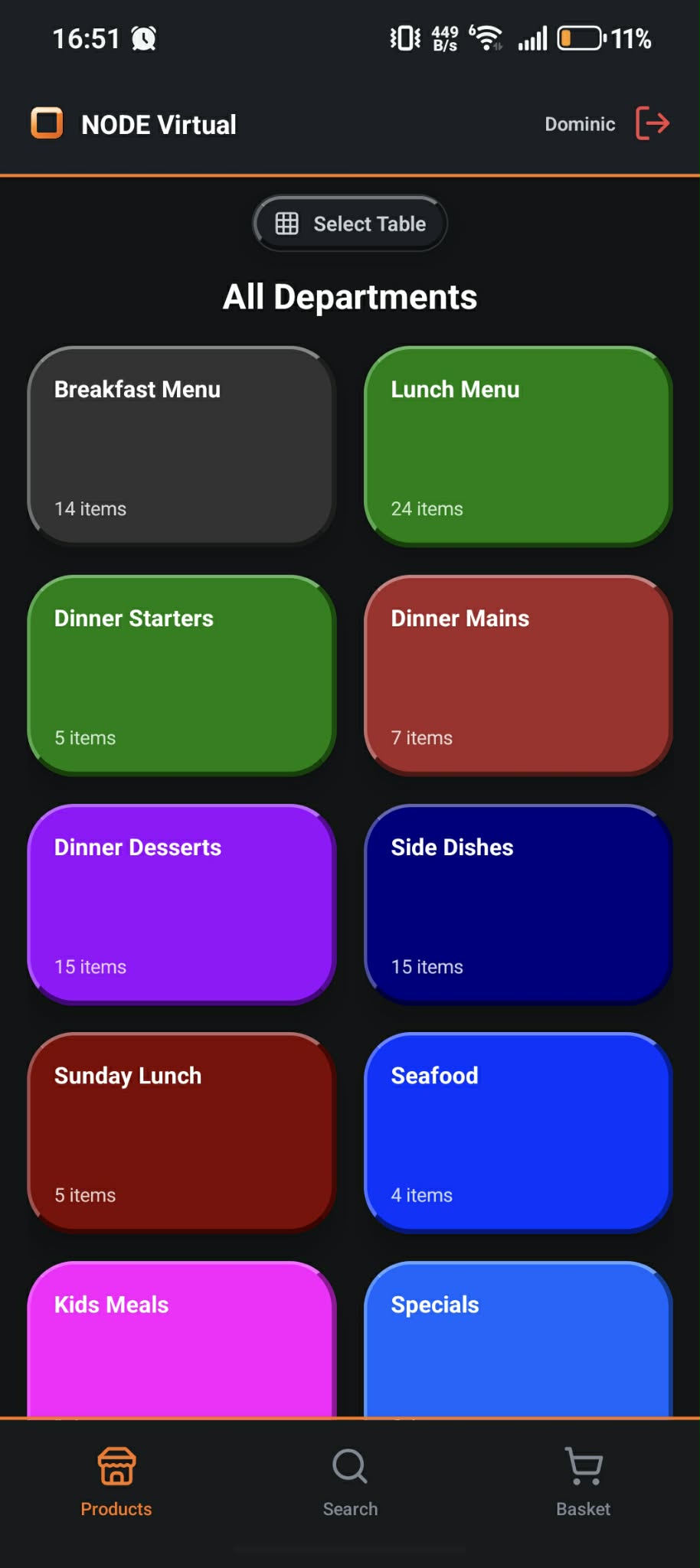
Best for ordering, saved tables or basket screens on a mobile device.
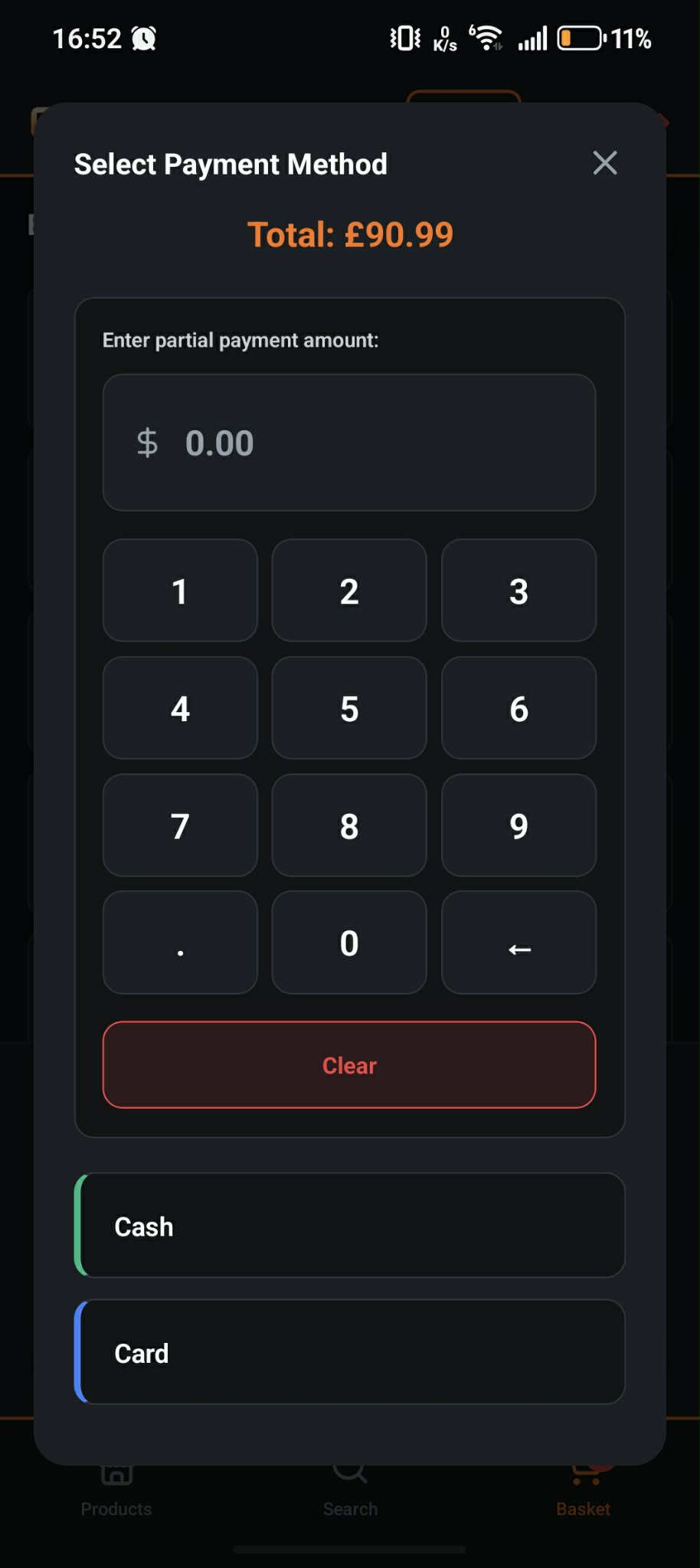
Best for split bill, tips or payment screens on the device.
Staff Hub: rota, time and messages in one place
Staff Hub gives your team a simple place to check shifts, see updates and handle the everyday staff admin that usually turns into lots of chasing around.
See shifts quickly
Staff can check their rota and keep on top of upcoming shifts without digging through messages or paper rotas.
- See rota easily
- Check upcoming shifts
- Less confusion around hours
Keep staff updates in one place
Requests, messages and updates stay together so staff are less likely to miss important information.
- Messages and updates
- Requests and shift changes
- A clearer staff view
Less chasing for managers
When staff can see the basics for themselves, managers spend less time answering the same questions again and again.
- Fewer repeated staff questions
- Clearer communication
- Less admin overhead
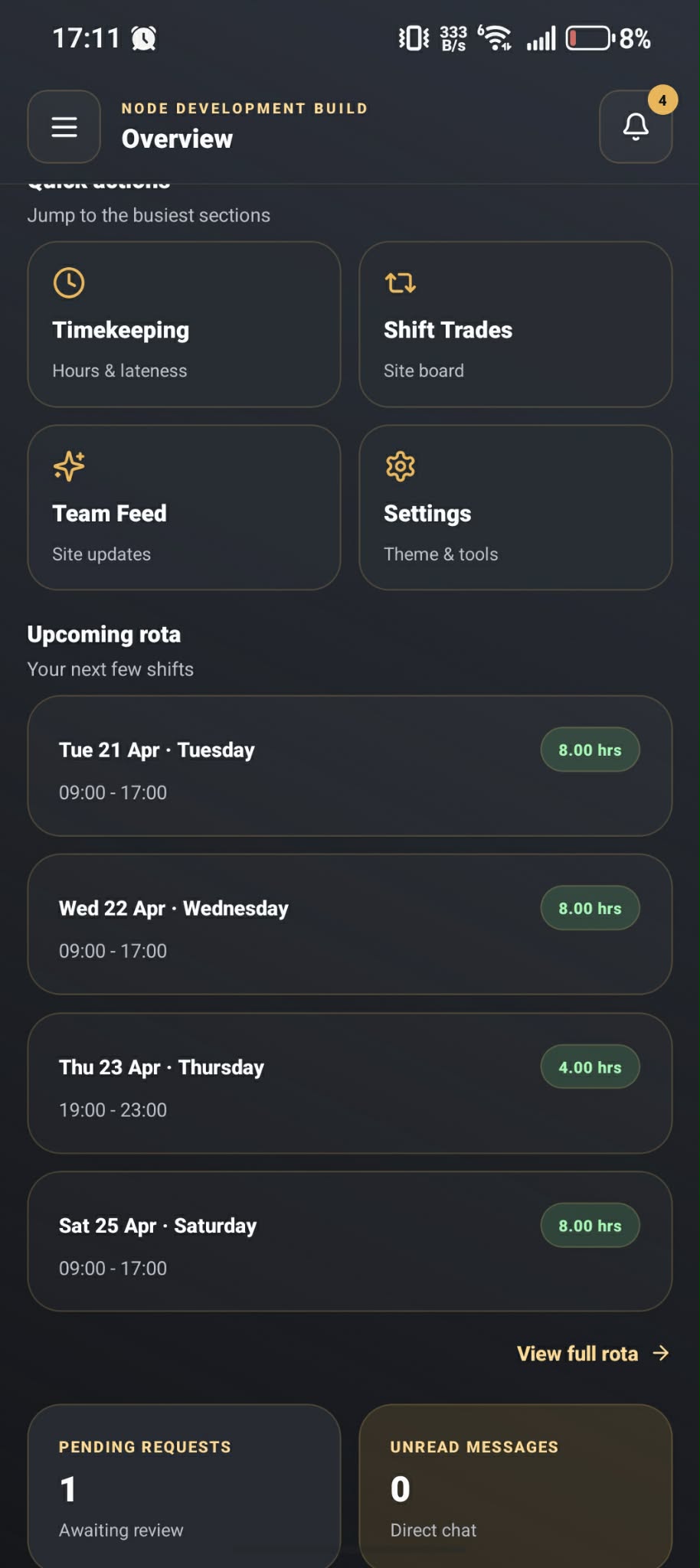
Best for rota or timekeeping screens on a phone-sized device.
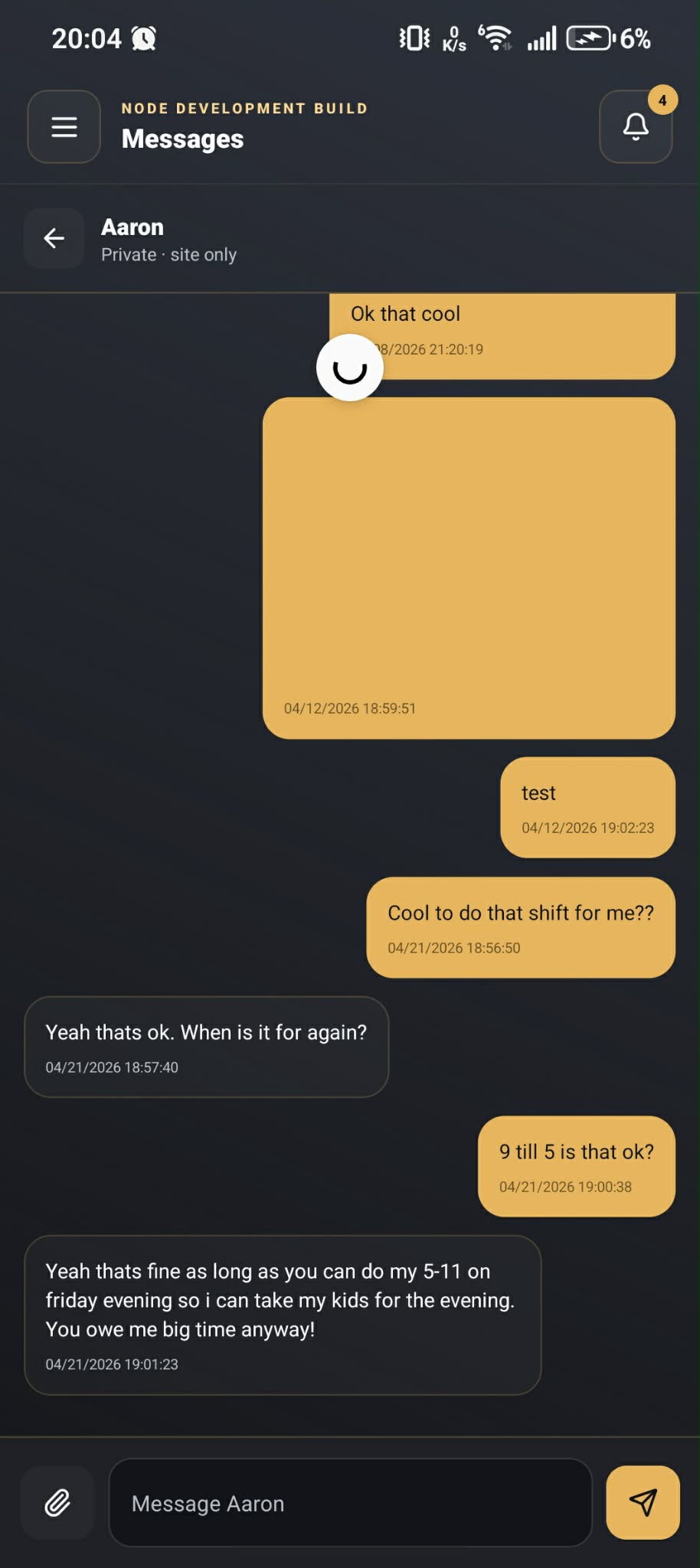
Best for requests, messages or staff updates on mobile.
Table and function bookings without the paperwork headache
NODE also covers everyday table reservations and larger private functions, with live availability, clearer planning, and public booking pages that stay tied to the same system.
Table Bookings
Table Bookings is a live reservations workspace built around the real floor. It combines the booking queue, diary, floor plan, timeline, waitlist, and service notes so staff can keep control when the day gets busy.
See the whole service picture at once
The team can work from a live timeline and floor plan instead of jumping between separate lists and paper notes.
- Live booking timeline
- Floor plan with table status
- Quick changes during service
Automatic table assignment when it helps
NODE can auto-assign the best available tables, while still allowing staff to step in manually when needed.
- Best-fit table assignment
- Joined tables where needed
- Walk-in protection for the floor
Public bookings that stay tied to the live floor
The public booking page checks real availability and can offer nearby times if the exact request is already full.
- Branded booking page
- Nearby slot suggestions
- Calendar and booking confirmation flow
Waitlist and shift notes in the same workspace
Useful extras such as the waitlist and service notes stay in the same place, so the whole shift is easier to manage.
- Waitlist handling
- Shift notes and service alerts
- Blocked windows for specific times or areas
Function Bookings
Function Bookings is built for private events, parties, room hire, and larger pre-planned bookings. It gives venues a cleaner way to manage spaces, set menus, organiser details, and guest-by-guest pre-orders before the day arrives.
Dedicated rooms and spaces with live availability
Venues can set up dedicated function spaces with capacities, minimum party sizes, and room hire pricing.
- Dedicated function spaces
- Capacity and party-size rules
- Optional room hire pricing
Set-menu led booking flow
Each function can be tied to a proper set menu, with courses, guest choices, surcharges, and timing rules built in.
- Set menus and courses
- Guest choices and extras
- Lead-time rules for events
Guest-by-guest pre-orders before the event
Once the booking is created, the organiser can share a guest pre-order link so each guest can submit their own choices.
- Guest-by-guest selections
- Clear progress before the day
- Less chasing by phone or e-mail
Approval, totals and clearer event planning
NODE tracks projected value, room hire, booking totals, and can hold public requests for approval when the venue wants more control.
- Pending approval flow
- Projected value and totals
- Export and print options
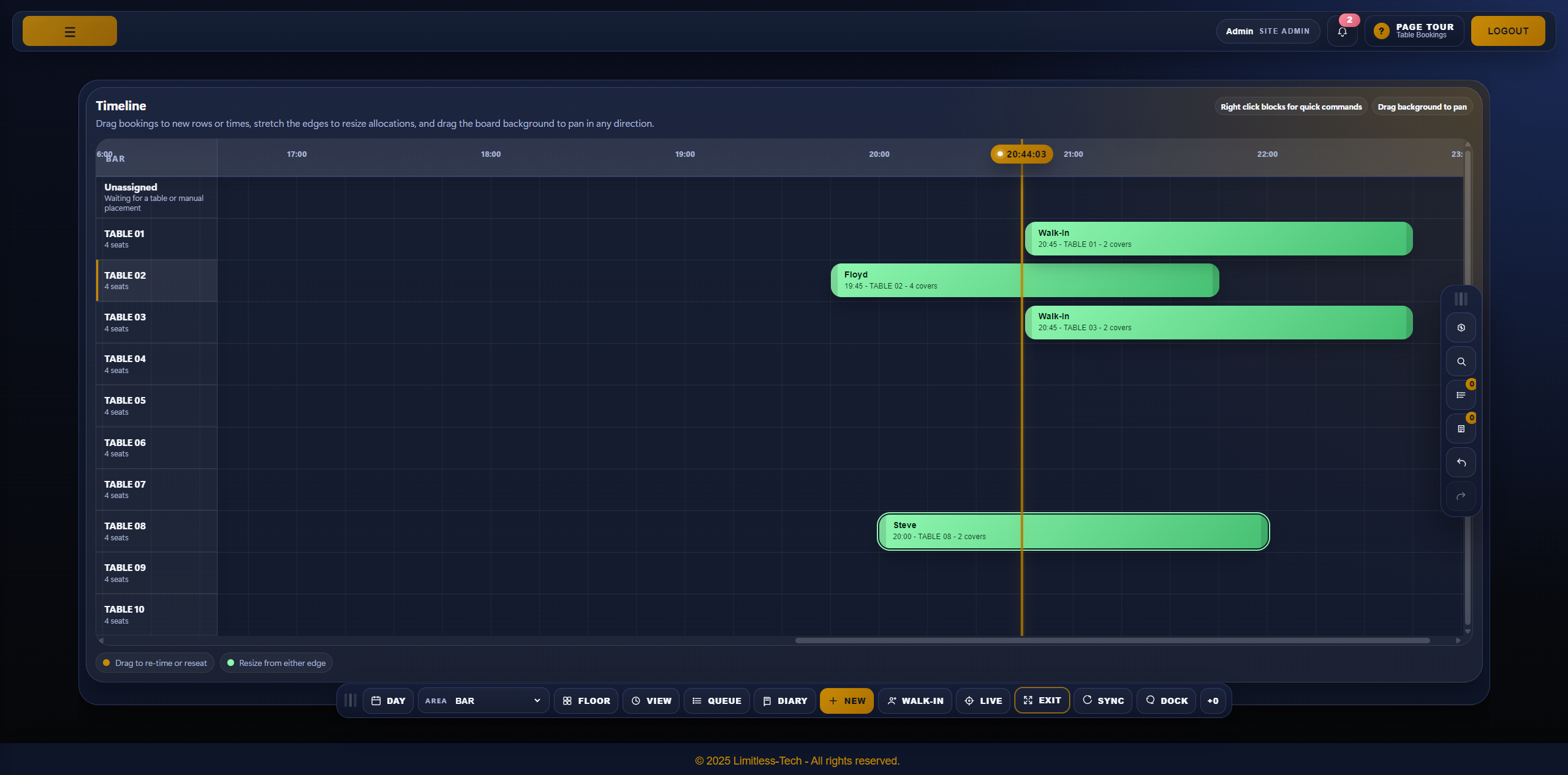
Best for the live floor plan, diary, or timeline view.
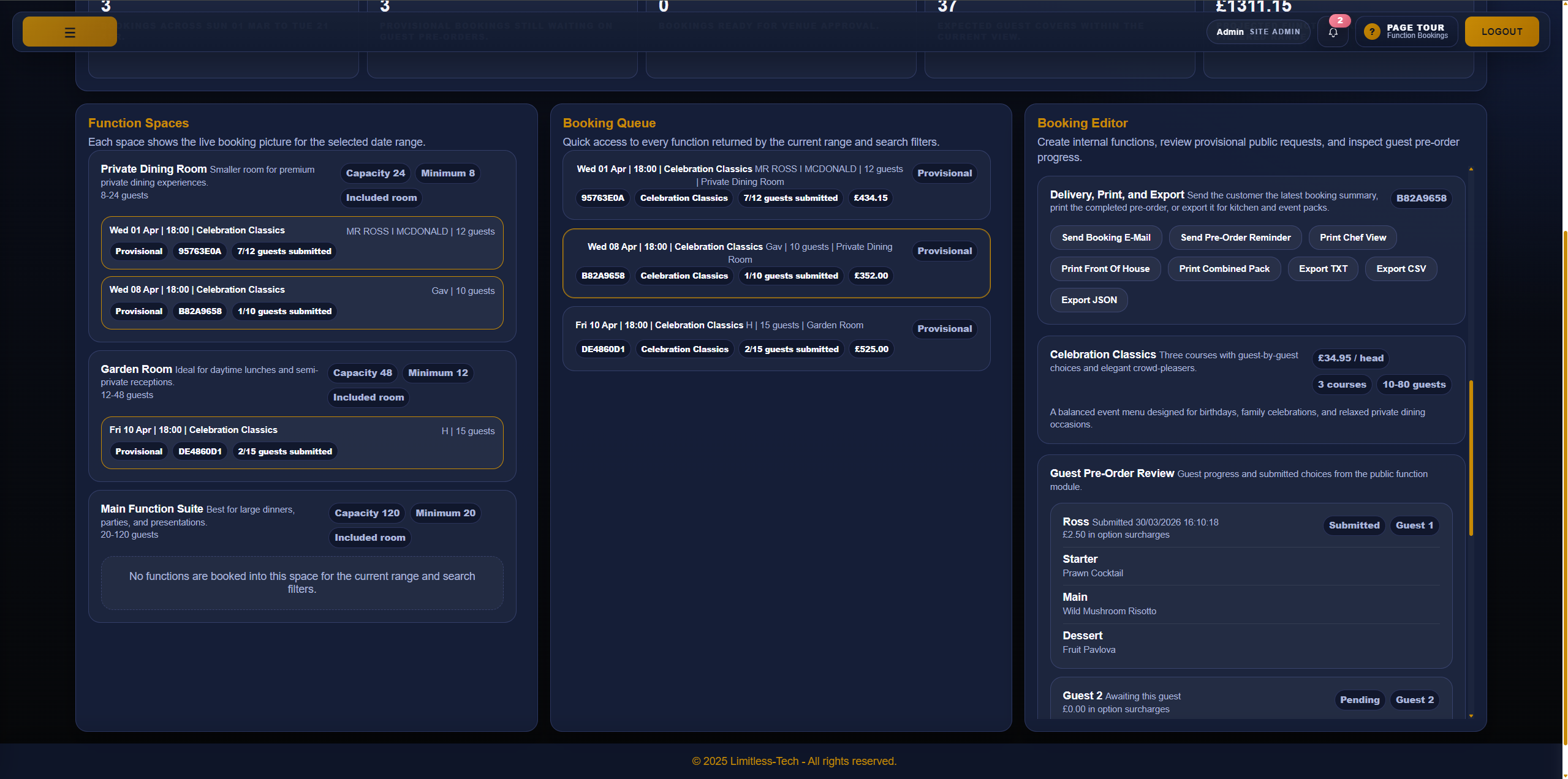
Best for the function diary, spaces view, or guest pre-order setup.
Try the Table Bookings demo
This is a live demo of the public table-booking module, so visitors can try a real booking flow and see how it feels.
Try the Function Bookings demo
This is a live demo of the function-booking module, showing the real set-menu and event booking journey people can work through online.
Ordering and delivery that stay in step
Takeaway, kiosk, table ordering and drivers all work better when they feel like one joined-up part of the same system.
NODE Takeaway
Online ordering that fits neatly into the rest of the business.
- Menus stay in step
- Orders are easy to follow
- Less double handling
NODE Kiosk
Guest ordering for sites that want to cut queues and make simple orders quicker.
- Good for busy counters
- Easy for guests to use
- Takes pressure off staff
NODE Table Ordering
Lets guests order from the table while keeping things clear for the team behind the scenes.
- Useful in busy service
- Works with mixed service styles
- Keeps orders easy to track
NODE Go
The takeaway driver app gives drivers navigation and helps the site keep track of cash orders clearly.
- Simple directions on each delivery
- Track how much cash each driver should bring back
- Clearer handover when drivers return to site
One clearer flow from order to delivery
Takeaway, kiosk and table orders can stay in step with the wider NODE setup, while NODE Go helps drivers with navigation and cash tracking when the order leaves the site.
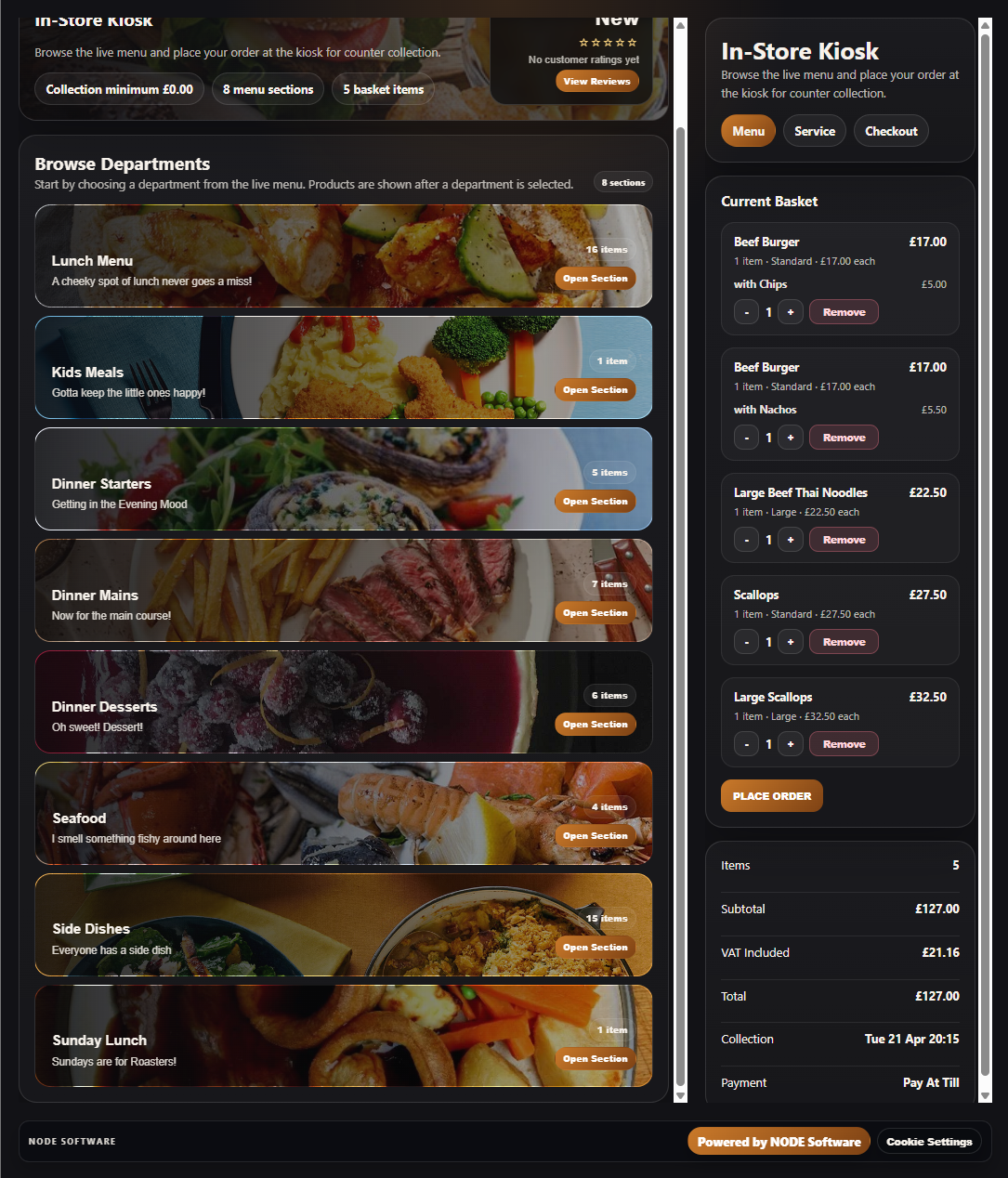
Best for takeaway or kiosk screens with products and checkout visible.
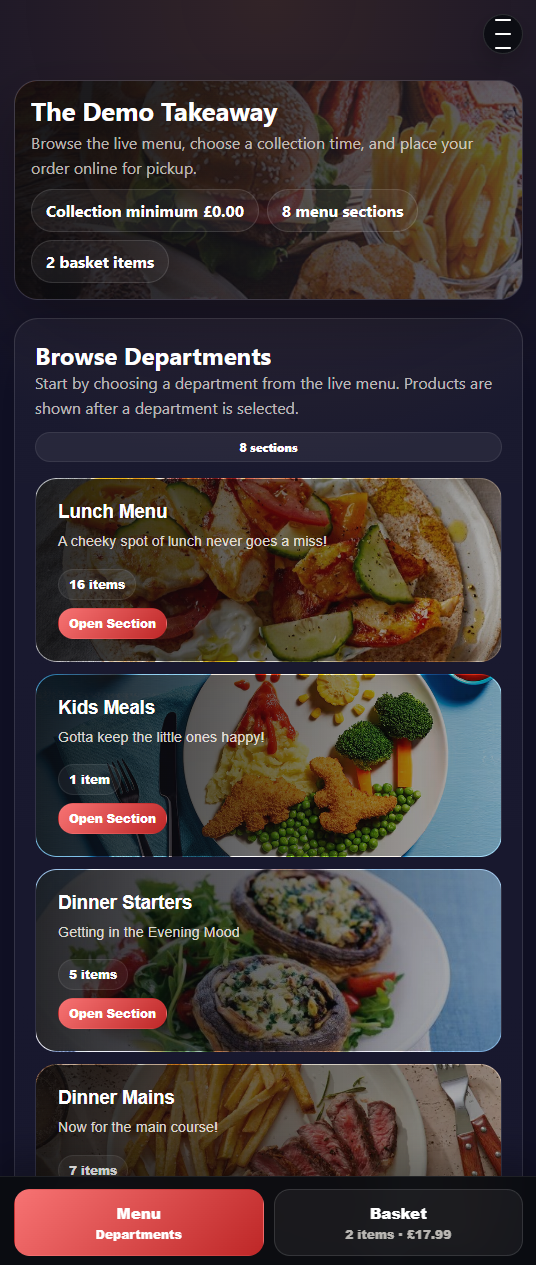
Best for a guest phone screen with menu, basket or checkout visible.
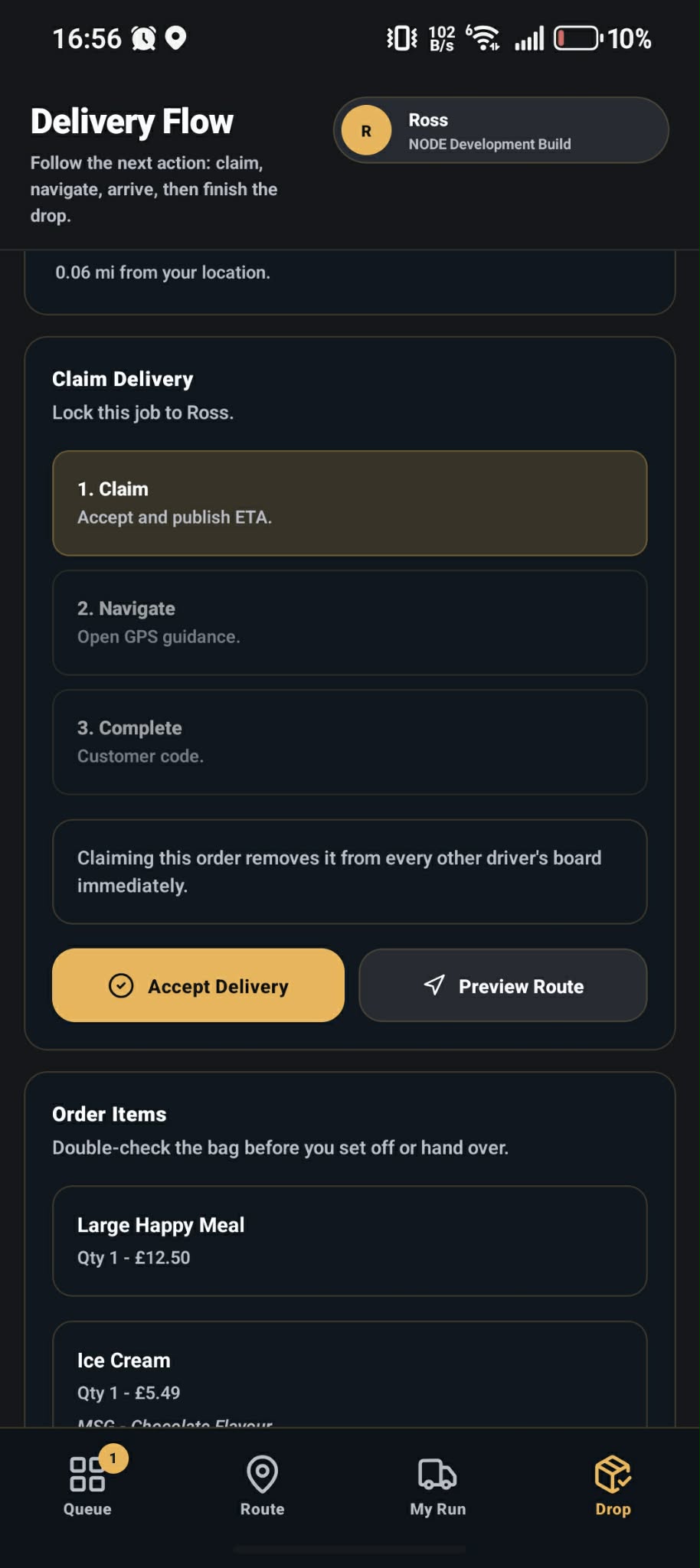
Best for a delivery list, navigation screen or cash tracking view for drivers.
Try the NODE Takeaway demo
This is a live public ordering module, so people can see how takeaway ordering works in practice rather than just reading about it.
Try the NODE Table Ordering demo
This is a live guest ordering demo showing how table ordering can work from a real phone-style ordering flow.
Best for venues that want simple tools
NODE is a strong fit for venues that want plenty of features, but do not want a system that feels heavy, messy or easy to break.
Fast service with less stress
Great for sites that need speed, but still want proper control over the day-to-day basics.
Good for table service
Useful where tables, handhelds and kitchen screens all need to work together cleanly.
Good for mixed trading styles
Strong for sites that mix walk-in trade, takeaway, guest ordering and table ordering.